
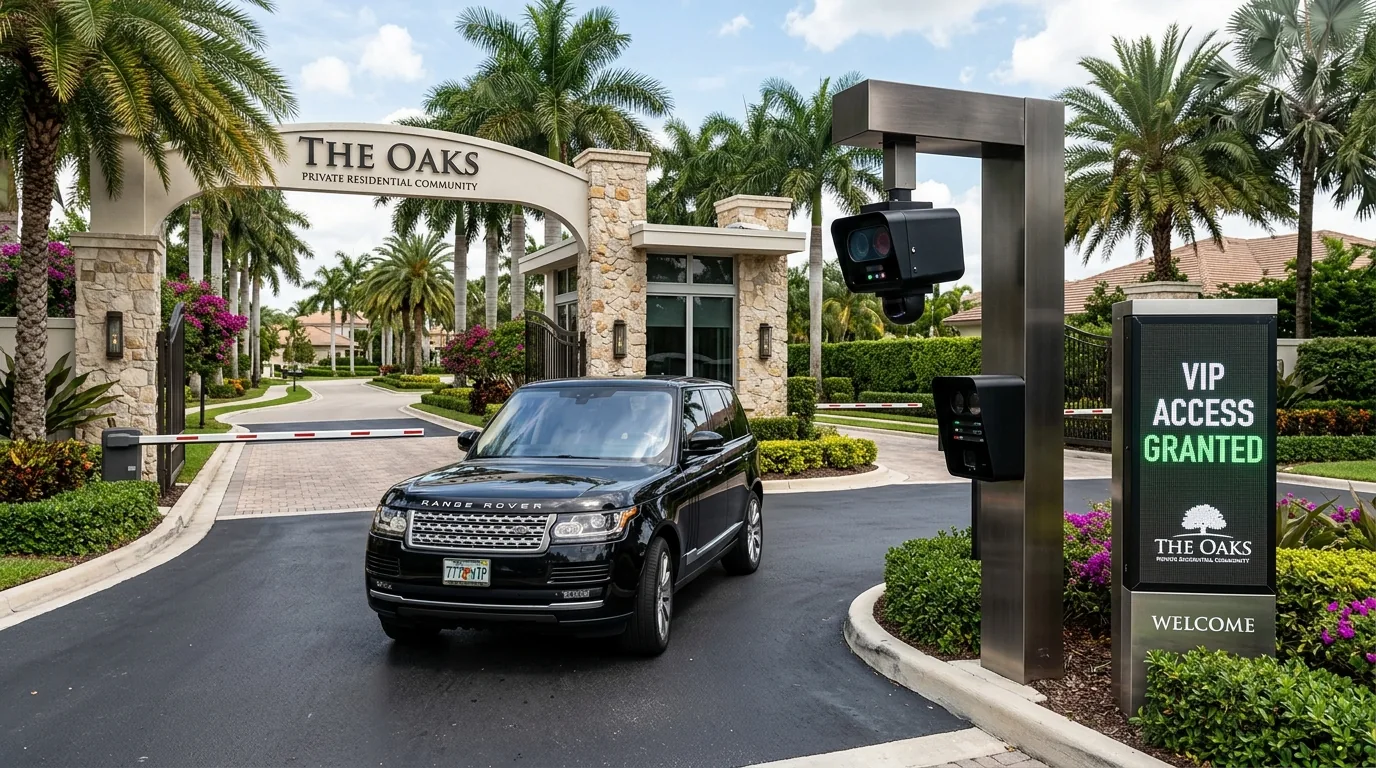
The security director of a 750-villa gated community in Dubai Hills Estate faces a compounding operational nightmare: every evening between 5:30 PM and 7:00 PM, executive-level residents and board members experience barrier delays at the primary access gate. The legacy optical character recognition setup frequently misinterprets dual-format GCC plates under low-angle sunlight, dropping recognition confidence below the auto-open threshold. Guards are forced to leave their booths, perform manual physical checks, and type plate numbers into an auxiliary terminal. This manual bottleneck creates an eight-minute vehicular queue onto the main boulevard, triggers noise complaints from home-owners, and risks regulatory non-compliance with local estate access protocols. Ignoring this failure erodes community trust, strains site security staff, and degrades the capital value of the property management contract.
Eliminating these friction points requires a structured approach to vehicle authorization using purpose-built automatic number plate recognition Dubai platforms. By configuring targeted VIP whitelisting within ANPR Watch, community managers ensure low-latency entrance clearance, eliminate manual guard intervention, and maintain a verifiable audit trail across all access points.
Executive Briefing
- Regional Optical Resilience: Optimized 850nm/940nm pulsed infrared illumination cuts through extreme solar glare, heat haze, and regional sandstorms.
- Multi-Jurisdiction Plate OCR: High-accuracy neural network OCR parses diverse regional formats (private, commercial, police, and export plates) across the GCC.
- BMS & Barrier Integration: Direct webhook and relay integration with existing barrier controllers ensures frictionless, sub-second vehicle ingress.
Addressing GCC Plate Edge Cases in High-Density Residential Perimeters
Gated communities throughout the UAE, Saudi Arabia, Qatar, and the broader Middle East present unique optical recognition challenges. Access points must accommodate standard private plates, commercial transports, motorcycle tags, and customized regional formats—such as Abu Dhabi red bands, Dubai classic categories, and Saudi Arabic-English dual-script plates. Standard off-the-shelf camera firmware often fails to parse these variations reliably under variable lighting conditions.
According to benchmark data published by the British Parking Association, optical plate recognition systems in gated environments must sustain an active accuracy rate above 98.5% to prevent peak-hour perimeter queuing. Achieving this operational threshold requires software capable of normalizing character streams across multi-lingual character sets before cross-referencing them against access databases.
Deploying targeted Hikvision ANPR integration alongside native Dahua ANPR software inputs inside a unified engine resolves character conversion errors. ANPR Watch ingests raw video streams, normalizes plate formats instantly, and applies VIP privilege rules in milliseconds—delivering smooth access control regardless of physical plate geometry or origin.
Step-by-Step VIP Whitelisting Configuration in ANPR Watch
Establishing an automated VIP access route requires systematic configuration within the central management console. Follow these operational steps to build, validate, and activate high-priority vehicle records.
1. Target Device and Video Stream Association
Begin by mapping the dedicated physical entry lanes within the platform interface:
- Navigate to Device Management > LPR Cameras in the primary navigation tree.
- Verify that the optical camera feed covering the VIP entry lane is transmitting an active RTSP stream with a minimum resolution of 1080p at 25 frames per second.
- Ensure capture zones are bounded tightly around the vehicle stop-line to maximize optical density across character regions.
2. Plate Normalization and Formatting
Plate records must be entered into the system using standardized syntax rules to prevent false-negative rejections at the gate:
- Select Access Control > Vehicle Registrations > Add New Vehicle.
- Enter the exact plate string without spaces, hyphens, or special characters (for example, use DXBK55012 instead of DXB K-55012).
- Assign the specific origin jurisdiction from the drop-down menu (e.g., UAE – Dubai, KSA – Riyadh, Qatar – Doha). ANPR Watch automatically applies region-specific optical correction matrices based on this selection.
- Attach owner contact metadata, villa/unit identification numbers, and emergency phone details to facilitate audit tracking within your broader parking management system.
3. Defining VIP Privilege Group Metrics
Once vehicle records are created, group them under specific security authorization tiers:
- Open Access Rules > Group Management and create a dedicated profile named VIP Tier 1 Residents.
- Set the verification priority level to High (Override System Queue).
- Define the authentication rule: set the minimum software confidence match score to 85% for whitelisted records. This ensures that even if a plate is partially obscured by dust or road debris, the system matches the known VIP record and commands gate actuation without delay.
Configuring specific confidence thresholds for verified VIP lists prevents access friction caused by environmental dust accumulation, while preserving full security filtering for unrecognized vehicle plates.
Configuring Direct Gate Barrier Integration and Relay Protocols
Creating a database record is only half the equation; the system must communicate instantly with physical hardware to open access gates. ANPR Watch executes barrier commands through direct IP relay triggers, serial interfaces, or local Wiegand controllers.
ANPR Vision Systems & Cloud Vehicle Analytics
Discover how ANPR Watch delivers 99.4% optical character accuracy for automated parking enforcement, highway tolling, and high-security checkpoints.
Connecting Software Logic to Physical Gate Relays
To establish direct physical control, configure the output triggering mechanisms inside the application:
- Go to System Settings > Hardware Integration > Gate Barriers.
- Select your barrier controller architecture (e.g., Modbus TCP, IP Relay IO Module, or Direct Camera Relay Output).
- Map the VIP Tier 1 Residents group directly to Relay Output 1 on the designated barrier controller.
- Set the pulse duration to 500 milliseconds—the standard signal length required to trigger immediate barrier arm ascension on industrial gate systems.
By bypassing third-party middleware, this configuration reduces total transactional processing time—from initial optical plate capture to full barrier movement—to under 400 milliseconds. For facilities requiring custom electrical layouts, utilizing dedicated gate barrier integration protocols ensures absolute hardware synchronization.
Advanced Access Control Rules: Anti-Passback, Schedules, and Multi-Plate Profiles
Standard whitelisting can lead to security vulnerabilities if residents share credentials or tailgating occurs. ANPR Watch incorporates targeted control parameters to prevent operational abuse while maintaining seamless entry for valid VIPs.
Enforcing Hard or Soft Anti-Passback
To prevent a single whitelisted vehicle record from granting entry to multiple unverified cars in succession, enable anti-passback logic:
- Hard Anti-Passback: If Vehicle A enters through Gate 1, its status changes to INSIDE. If Gate 1 reads Vehicle A’s plate again before an EXIT event is registered, entry is denied, and an alert routes to the guard station.
- Soft Anti-Passback: The barrier raises to prevent lane blockage, but ANPR Watch flags an immediate security exception, logs a high-priority incident, and sends a push notification to community management.
Configuring Dynamic Multi-Plate Linkage for VIP Households
Many luxury property owners operate multiple personal vehicles but hold a limited number of designated basement or driveway parking bays. ANPR Watch allows security operators to link multiple license plate records to a single residential profile under a dynamic slot-allocation rule:
- Create a household entity (e.g., Villa 42 Management Account).
- Register all authorized family vehicles (e.g., four distinct license plates) under this single entity.
- Set maximum concurrent active entries to 2 Vehicles.
- When the third vehicle attempts entry, the platform recognizes the overall VIP profile but alerts the driver via an integrated LED VMS sign that primary parking capacity is full, directing them to guest bays without compromising perimeter security.
Ensuring System Reliability and Platform Maintenance
A smart perimeter access system requires continuous operational oversight. As community boundaries expand or access policies evolve, enterprise platforms must maintain clean data synchronization across edge devices and central databases.
Using SmartCity ANPR Software deployment topologies, property operators can centrally sync VIP whitelists across multiple geographic sites—enabling a resident of a master-developed community in Dubai to enjoy seamless entry at affiliated clubhouse facilities in Abu Dhabi or Riyadh without redundant registration.
To prevent unexpected platform downtime, facility IT administrators should audit system health counters monthly. Maintain active support agreements and verify that your system holds a valid software subscription. Routine operations like updating optical engine definitions and renewing your platform License Renewal are vital to maintain compatibility with new regional plate designs issued by transport authorities.
Additionally, pairing your license plate hardware with broader enterprise CCTV Monitoring feeds provides complete contextual video security. If a vehicle plate is damaged or illegible, guards can view secondary contextual overview feeds directly inside the ANPR Watch live dashboard without switching software applications.
Immediate Actionable Steps for Security and Facilities Managers
If your gated community, corporate park, or residential complex experiences access delays at entry points, perform this single technical audit step today:
Open your camera interface logs during peak traffic hours and filter for read events with confidence scores between 60% and 82%. If more than 5% of captured records fall into this range, your optical recognition thresholds are misaligned with physical lighting and gate speeds. Re-calibrate your optical exposure settings, eliminate spaces in your registration database syntax, and group your high-frequency residents into a high-priority VIP list within ANPR Watch to eliminate gate queues immediately.
To optimize your facility access control systems and ensure zero-delay perimeter operations, explore the complete range of software and hardware modules available. Learn more about ANPR Watch and discover how our specialized Support Package and advanced Parking Management System solutions deliver uncompromised security and performance for high-density environments across the GCC, UK, and USA.